Gaming Gear · Buying guide
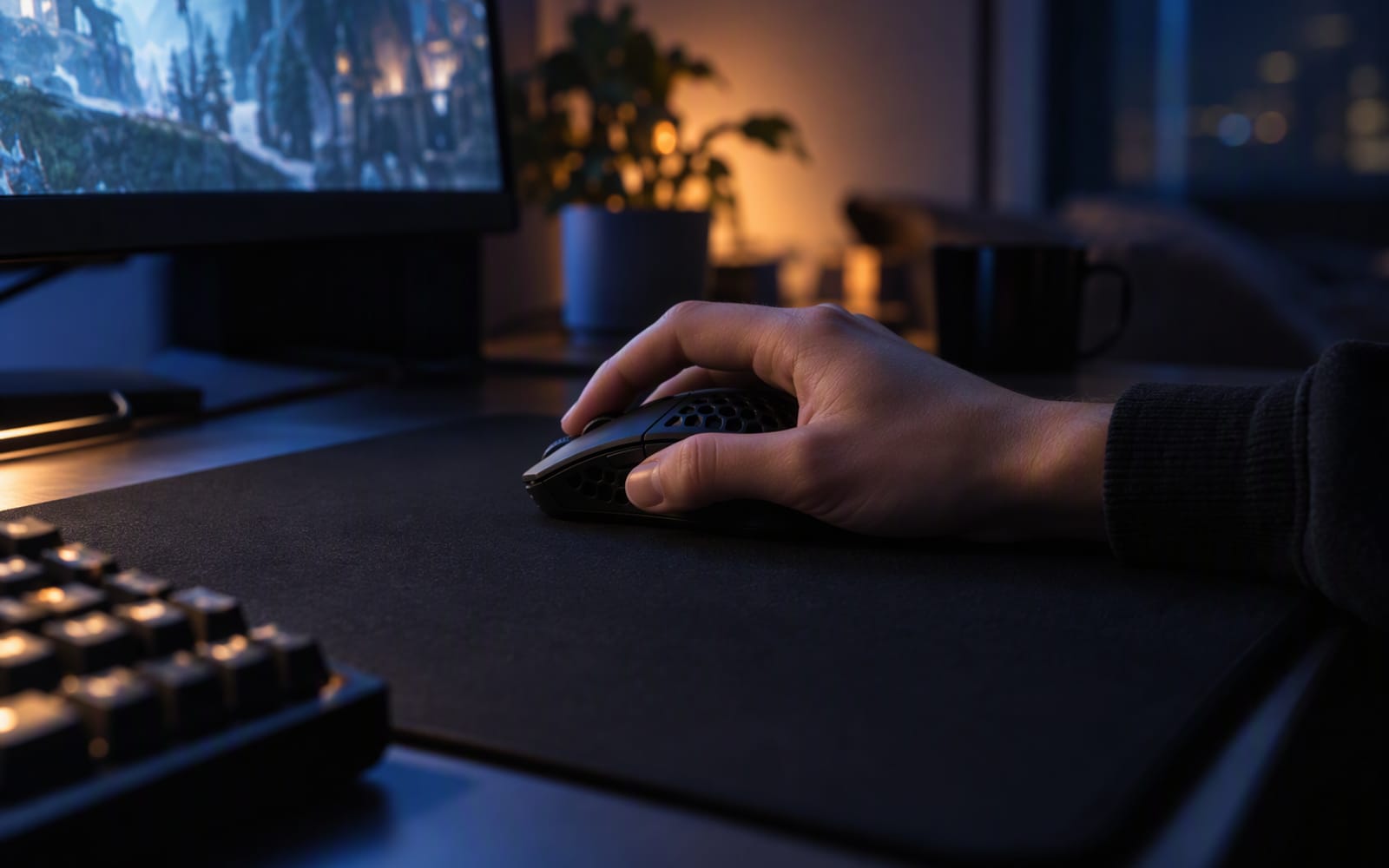
Picture a specific setup. A student desk in a small bedroom, one monitor, a keyboard pushed to the left, and maybe 25 cm of clear surface on the right for the mouse. The player is 160 cm tall with hands to match, plays on a fairly low sensitivity, and has been using a full-size mouse inherited from a family PC. After an hour of play their forearm aches and their aim wanders, and they assume the problem is that the mouse is old.
It is not. It is the mouse being too big, and no amount of a better sensor will fix that.
Measure first, buy second
Almost every mouse recommendation you will read is written for an average-to-large hand, because that is what most mainstream shapes are designed around. If your hand is smaller than that, the specification that decides whether you enjoy the mouse is one that rarely appears in the marketing: its physical size relative to yours.
Two measurements are worth taking: hand length, from the crease at your wrist to the tip of your middle finger, and hand width, across the knuckles excluding the thumb. Compare both against the published dimensions of the mouse. Length tells you whether you can reach the front buttons without stretching; width at the grip point tells you whether your fingers curl around the side or sit on top of it. Grip width is the number people forget, and it decides whether a mouse feels planted or slippery.
Grip style matters more than any specification
There are three common grips, and each wants a different shape.
- Palm grip — the whole hand rests on the mouse. Comfortable for long sessions, and it wants a longer, taller body with a filled-out rear. It is the hardest grip to hold on a mouse that is too small.
- Claw grip — the palm contacts the rear while the fingers arch over the buttons. It is a common compromise for smaller hands, and it wants a raised rear hump so the palm has something to push against.
- Fingertip grip — only the fingertips touch. It offers the most precise micro-adjustment and the least stability, and it suits a short, low mouse.
The useful insight is that smaller hands are frequently steered towards small mice when the real answer is a mouse with the right proportions. A short mouse with a tall rear hump suits a claw grip on a small hand far better than a tiny flat one that gives the palm nothing to anchor against.
Sensor specifications have stopped being a reason to choose
Every current gaming mouse in this category uses an optical sensor that resolves far more movement than a human hand can produce or a human eye can perceive. Manufacturers publish high sensitivity figures because those figures sell, but you will never use them. Competitive players routinely run at a fraction of the maximum, and for good reason: high sensitivity magnifies every tremor.
The practical position is simple. Do not choose a mouse on sensor numbers. Choose it on shape, size, weight and build, then confirm the sensor is a current-generation optical unit — which, at this level, it will be.
Switch type is where durability is actually decided
The failure that ends a mouse’s life is almost always a click, not a sensor. Mechanical switches rely on metal contacts that wear each time they touch, and the classic end state is a switch that double-clicks or stops registering a press. That is the mouse equivalent of stick drift, and it arrives gradually enough that many people replace the mouse before diagnosing it.
- Optical switches replace the physical contact with a beam of light interrupted by the button. There is no contact to wear out, so the click should not degrade in the same way.
- Hybrid switches combine a mechanical feel with an optical or contactless trigger, aiming to keep the feel while reducing wear.
Hall-effect sensing, which you may have seen on controllers and some keyboard switches, is a different technology again: it measures a magnetic field to determine position, and it is used for analogue inputs rather than for simple clicks. It is a genuine advance for analogue sticks. For mouse buttons, optical is the technology to look for.
Because manufacturers vary in what they publish, check the published switch type before buying rather than assuming.
Why weight alone is a poor way to choose
Weight is the most-quoted number in this category and the least useful on its own.
Based on published specifications, some current wireless models sit under 60 g, and one of the models below is quoted at around 54 g. Those figures make a real difference if you play at low sensitivity with large arm movements, pushing the mouse around a big pad all game.
But weight is not free. A very light mouse is easier to knock off line, less stable for people who grip hard, and often less planted in the hand. A heavier mouse that fits your hand and your grip can be faster in practice than a lighter one you cannot hold confidently.
Rule of thumb. Shape decides whether you can use the mouse. Weight decides how much effort it takes. Buy for shape first, and treat weight as the tie-breaker between two mice that both fit.
Our picks
| Model | Shell | Published weight | Switch type to check | Best for |
|---|---|---|---|---|
| Glorious Model O Minus | Honeycomb | Small-format lightweight design | Manufacturer states type per revision | Small hands on a tight budget |
| Razer Viper V3 Pro | Solid | Around 54 g | Optical | Claw grip and fast flick shots |
| Logitech G PRO X Superlight 2 | Solid | Under 60 g | Hybrid optical-mechanical | Serious competitive shooters |
Glorious Model O Minus is one of the few genuinely light mice sized for smaller hands, which is exactly the gap it fills. If your hand is on the small side and every mainstream gaming mouse feels like a bar of soap, this is the shape to start from. What you give up is refinement: the honeycomb shell traps dust, the wired version has cable drag, and the build feels less solid than the premium options.
Razer Viper V3 Pro is the one to shortlist for a claw grip. It is slightly taller at the back than the Logitech equivalent, which gives the palm something to push against, and the published weight is around 54 g with a solid shell. What you give up is money and flexibility — there is no Bluetooth, so it is dongle-only — and it is too small for large hands using a full palm grip.
Logitech G PRO X Superlight 2 is the reference point for competitive play: very light, a closed shell rather than a honeycomb one, and a shape that suits a wide range of hands. What you give up is Bluetooth, again, and the ambidextrous shape suits some grips better than others. For most people who play shooters seriously and do not know their ideal shape yet, it is the safest of the three.
What not to overpay for
- Higher maximum sensitivity. You will never use it, and pursuing it often means accepting a shape you like less.
- An ultra-light mouse when your grip is a palm grip. You are buying instability you did not ask for.
- A honeycomb shell purely for the weight figure. A closed shell at a similar weight is the better object.
When the honest answer is do not buy anything
If your current mouse fits your hand, tracks reliably and the buttons still register cleanly, keep it. A new mouse will not raise your aim; a mouse that fits removes a source of discomfort, and if you do not have that discomfort there is nothing to remove.
If you do have discomfort, try the cheap fixes first. Changing your sensitivity, moving your chair height and putting a proper pad under the mouse cost far less than a new mouse and frequently solve the problem on their own. Buy when you have identified the shape you need, not when you have identified a number you like.
Our picks
These are the models we would shortlist for the scenarios in this article. Each entry shows the published specification highlights, what the product is genuinely good at, and what you give up.
Glorious Model O Minus
Glorious
One of the few genuinely light mice sized for smaller hands. The honeycomb shell is the trade-off — it keeps the weight down but collects dust and can feel less premium than a solid shell.
What it does well
- Properly sized for smaller hands
- Very light
- Affordable
What to accept
- Honeycomb shell traps dust
- Wired version has cable drag
- Build feels less solid than premium rivals
Best for: Small hands · Claw grip · Budget competitive setups
Published specs: Small-format lightweight gaming mouse; Honeycomb shell design; Braided cable on the wired version; Programmable buttons.
Last checked: 2026-09-26
Razer Viper V3 Pro
Razer
Slightly taller at the back than the Logitech equivalent, which suits claw grip better. Choosing between the two is really about hand size and grip style rather than performance.
What it does well
- Very light with a comfortable claw-grip shape
- Excellent sensor and click feel
- Long battery life
What to accept
- Premium price
- No Bluetooth
- Too small for large palm-grip hands
Best for: Claw grip · Competitive play · Fast flick shots
Published specs: Wireless gaming mouse around 54 g (published weight); High-resolution optical sensor; High polling rate support; USB-C charging.
Last checked: 2026-09-26
Logitech G PRO X Superlight 2
Logitech
The reference point for competitive mice: extremely light, no holes in the shell, and a sensor that removes every excuse. It is wasted on office work and worth it if you play shooters seriously.
What it does well
- Very light without a honeycomb shell
- Flawless tracking
- Long battery life between charges
What to accept
- No Bluetooth — dongle only
- Expensive
- Ambidextrous shape suits some grips better than others
Best for: Competitive shooters · Low-sensitivity players · Large mousepads
Published specs: Wireless gaming mouse under 60 g (published weight); High-resolution optical sensor; Long published battery rating; USB-C charging.
Last checked: 2026-09-26
Frequently asked questions
How do I know whether a mouse is too big for my hand?
Measure from the crease at your wrist to the tip of your middle finger, then compare that to the published length of the mouse. As a rough starting point, a mouse longer than about 60 per cent of your hand length tends to push a smaller hand into a stretched palm grip, which is where cramp comes from. The more reliable test is whether your fingers can reach the front buttons without your palm leaving the mouse body.
Is a lighter mouse always better?
No, and treating weight as the headline number is the most common mistake in this category. A light mouse that is too long for your hand is worse than a slightly heavier one that fits, because you will grip it harder to keep control and tire faster. Weight only helps once the shape is right.
Do honeycomb shells actually break more easily?
The evidence points more towards dust and comfort than to structural failure. A perforated shell is usually rigid enough for normal use, but the openings collect dust, skin and crumbs, and they let sweat and grime into the internals over time. They can also feel less solid under the palm than a closed shell, which some people notice immediately and others never do.
What is stick drift, and does it affect mice?
Stick drift is an analogue stick failure, so it belongs to controllers rather than mice — a worn stick reports movement when nobody is touching it. The mouse equivalent is click failure and double-clicking, which comes from wear on the metal contacts inside a mechanical switch. Optical and hybrid switches avoid that contact wear entirely, which is why they are worth looking for.
Related
Gaming
Best Budget Mechanical Keyboards for Work and Play
One desk has to handle spreadsheets by day and shooters by night. Here is how to choose a budget mechanical keyboard that does both jobs well.
Gaming
Is a 144Hz Monitor Worth It for Casual Gaming?
A high refresh rate only helps if your graphics card can feed it. Here is the honest test for whether a 144Hz monitor is worth buying for casual play.
Gaming
Best Controllers for PC Gaming in 2026
Native Windows support, hall-effect sticks and back buttons matter more than looks. Here is how to pick a PC controller that survives years of play.