
Desk & Workspace · Buying guide
Type for eight hours and the thing that gives out first is often not the keyboard. It is your hands, or your forearms, or the fact that your wrists sit at an angle your arms were not built to hold for a whole working day. Buying a keyboard is the obvious response, and it is sometimes the right one — but only once you have worked out which of three very different problems you actually have.
Three problems that look like one
These three complaints all get called “keyboard pain”, and they point at three different products.
- Hands angled inward. A straight keyboard forces your forearms to converge so your hands meet over the middle of the board. Split and tented layouts address this directly.
- Wrists tilted upward. A tall keyboard, or one with the rear feet extended, drops your hands below the level of the keys, so the wrists bend back to reach them. Low-profile boards address this.
- Fingers bottoming out hard. Heavy keys and a stiff deck mean every press ends in a jolt. Mechanical boards with a softer mount address this.
Buy for the problem you have. Buying a split mechanical board when your wrists are already flat and your shoulders are up around your ears is an expensive way to change nothing.
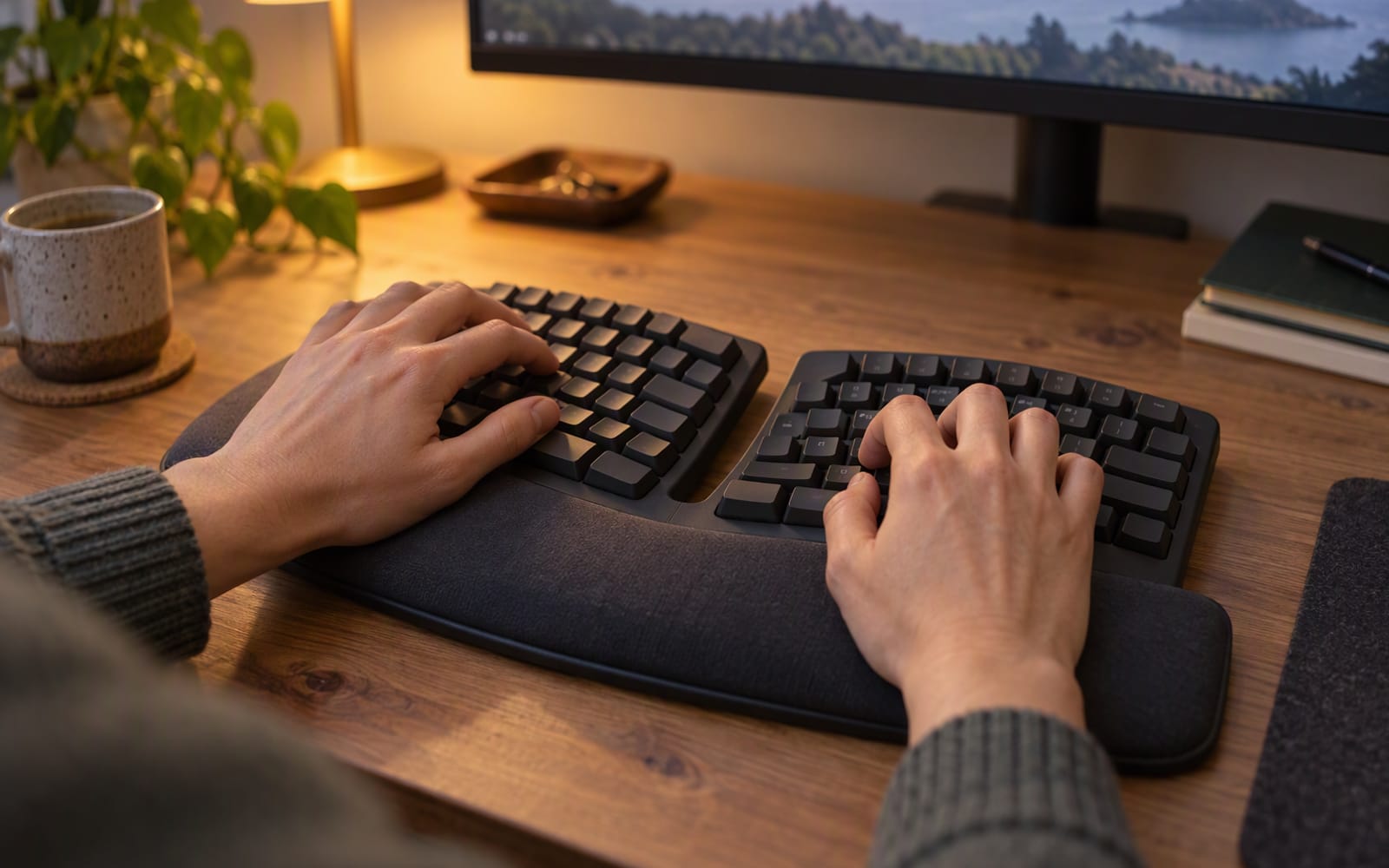
The split and tented answer: Logitech ERGO K860
A curved, split-layout keyboard with an integrated pillowed wrist rest, adjustable tilt legs and multi-device Bluetooth switching. The split lets each hand sit under its own forearm rather than reaching toward the middle, and the curved shape raises the inner edge so the wrists sit closer to a neutral position.
What you give up is real. The learning curve runs one to two weeks, the footprint is very wide — wider than most people expect — and the keys are membrane rather than mechanical. If your problem is hands angled inward and you are willing to retrain, this is the shape that addresses it.
The low-profile answer: Logitech MX Keys S
A low-profile backlit keyboard with reliable three-device switching and a cross-platform key layout. It is not split and it does not tent, so it does not address hand angle at all. What it does address is wrist tilt: because the deck is low, your hands sit closer to flat rather than reaching down to tall keys.
The quiet keys suit a shared office, and the multi-device switching is genuinely useful on a desk with a laptop and a desktop. What you give up is any split or tenting, and the backlight shortens battery life. It is also priced like a premium board despite being membrane.
The mechanical answer: Keychron Q1 Pro
A full aluminium 75 per cent board with a gasket mount, hot-swappable switches and deep remapping support. The gasket mount is the point: it suspends the plate so the deck gives slightly under each press, which softens the bottom-out that causes the third problem on the list.
It is heavy, it is expensive, and the setup software takes some learning. In exchange it is the board people tend to stop upgrading from, and the hot-swap sockets mean you can change how it feels later without soldering.
The relearning period, honestly
Any layout change costs you accuracy before it pays anything back. A split board is the biggest change, because your hands are doing something they have never done. Expect errors to rise for the first few days and to settle somewhere better than your old baseline within a couple of weeks.
Rule of thumb: give a new layout two weeks of real work before you judge it. The first three days are not data, and they are the reason most split keyboards get returned.
Wrist rests
A wrist rest is for resting between bursts of typing, not for typing on. If your palms are planted on it while you type, it is holding your wrists at an angle rather than supporting them, which is the opposite of the point.
If a keyboard includes a wrist rest, check that its height matches the board. A rest that is too thick pushes your hands up; one that is too thin does nothing.
When a keyboard change will not help
If your wrists are already neutral and the problem is that your shoulders are up around your ears, the keyboard is not the issue. Your desk is probably too high, or your chair too low, so your arms have nowhere to rest and your shoulders take the load.
Fixing that costs nothing and beats any keyboard on this page. Lower the desk or raise the chair until your forearms sit roughly level and your elbows rest near your sides, then reassess whether you still want a new keyboard.
And if discomfort is persistent rather than occasional, an accessory is not the right next step. Have it assessed by a qualified health professional.
Our picks
| Logitech ERGO K860 | Logitech MX Keys S | Keychron Q1 Pro | |
|---|---|---|---|
| Shape | Split, curved and tented | Straight, low-profile | Straight, 75% mechanical |
| Addresses | Hands angled inward | Wrists tilted upward | Harsh bottom-out |
| Relearning | One to two weeks | Minimal | Minimal, but heavier keys |
| Multi-device | Three devices | Three devices | Wireless on the Pro |
| What you give up | Width and mechanical feel | Split and tenting | Weight, cost and simplicity |
What not to overpay for
- RGB lighting. It does nothing for typing and it is one more thing to configure.
- Enormous software suites. If you never remap a key, the software is not a feature you are buying.
- A bundled wrist rest on a split board. It is often the wrong height for the board it ships with. Buy the rest separately once you know what height you need.
- Wireless on a keyboard that never moves. A cable on a desk keyboard is one less battery to think about.
When you should not buy anything
If you have not yet fixed your desk height, do that first. It is free, it takes ten minutes, and it addresses the most common cause of typing discomfort before any product gets involved.
If your current keyboard is comfortable and your hands rest neutral, a new board is a preference rather than a fix. That is a perfectly good reason to buy one — just make the decision knowing which of the three problems you are actually solving.
Our picks
These are the models we would shortlist for the scenarios in this article. Each entry shows the published specification highlights, what the product is genuinely good at, and what you give up.
Logitech ERGO K860
Logitech
A curved, split-layout keyboard with a built-in wrist rest. The shape takes a week or two to relearn, and for people with wrist or forearm discomfort that adjustment is usually worth it.
What it does well
- Encourages a more neutral wrist angle
- Comfortable for long sessions
- Switches between three devices
What to accept
- Learning curve of one to two weeks
- Very wide footprint
- Membrane keys, not mechanical
Best for: Wrist discomfort · All-day typing · Multi-device desks
Published specs: Curved split-layout ergonomic keyboard; Integrated pillowed wrist rest; Multi-device Bluetooth switching; Adjustable tilt legs.
Last checked: 2026-10-04
Keychron Q1 Pro
Keychron
A full aluminium 75 per cent board with a gasket mount, which softens the typing feel in a way that matters over a long day. It is heavy and it is not cheap, and it is the board people tend to stop upgrading from.
What it does well
- Comfortable, cushioned typing feel
- Very solid aluminium chassis
- Deep customisation support
What to accept
- Heavy — not a travel keyboard
- Expensive
- Setup software takes some learning
Best for: All-day typing · Writers and developers · Customisation
Published specs: Aluminium 75% mechanical keyboard; Gasket-mounted with sound dampening; Hot-swappable switches; QMK/VIA remapping and wireless option on the Pro.
Last checked: 2026-10-04
Logitech MX Keys S
Logitech
A low-profile keyboard with backlighting and three-device switching that genuinely works. Not ergonomic in the split sense, but the quiet keys and cross-platform layout make it a strong all-rounder.
What it does well
- Quiet enough for a shared office
- Reliable multi-device switching
- Comfortable low-profile keys
What to accept
- No split or tenting
- Backlight shortens battery life
- Pricey for a membrane board
Best for: Mac and Windows together · Office desks · Quiet typing
Published specs: Low-profile backlit keyboard; Switches between three devices; Smart backlighting that reacts to your hands; Cross-platform key layout.
Last checked: 2026-10-04
Frequently asked questions
How long does it take to get used to a split keyboard?
Expect one to two weeks of real work, and expect your error rate to rise before it falls. The first three days are not data. Keep your old keyboard in a drawer rather than returning the new one on day three, because that is when most people give up too early.
Do I need a wrist rest?
A wrist rest is for resting between bursts of typing, not for typing on. If your palms are planted on it while you type, it is in the wrong place and it is holding your wrists at an angle rather than supporting them. Many split keyboards include one; check that it fits your hands.
Will a new keyboard help if my wrists hurt?
A keyboard changes the angle your hands and forearms rest at, which is a real change to how you work. It is not a treatment. If discomfort is persistent rather than occasional, have it assessed by a qualified health professional before you buy anything.
Mechanical or membrane for all-day typing?
Mechanical boards with a soft mount can be more comfortable over a long day because the keys absorb the bottom of each press. Membrane boards are quieter and usually lower-profile, which keeps the wrists closer to flat. Neither is universally better; it depends on whether your problem is impact or angle.
Related

Workspace
Best Laptop Stands for Neck and Shoulder Pain
A laptop stand raises the screen to eye level, and it only works if you add an external keyboard. How to choose between fixed, adjustable and portable designs.
Workspace
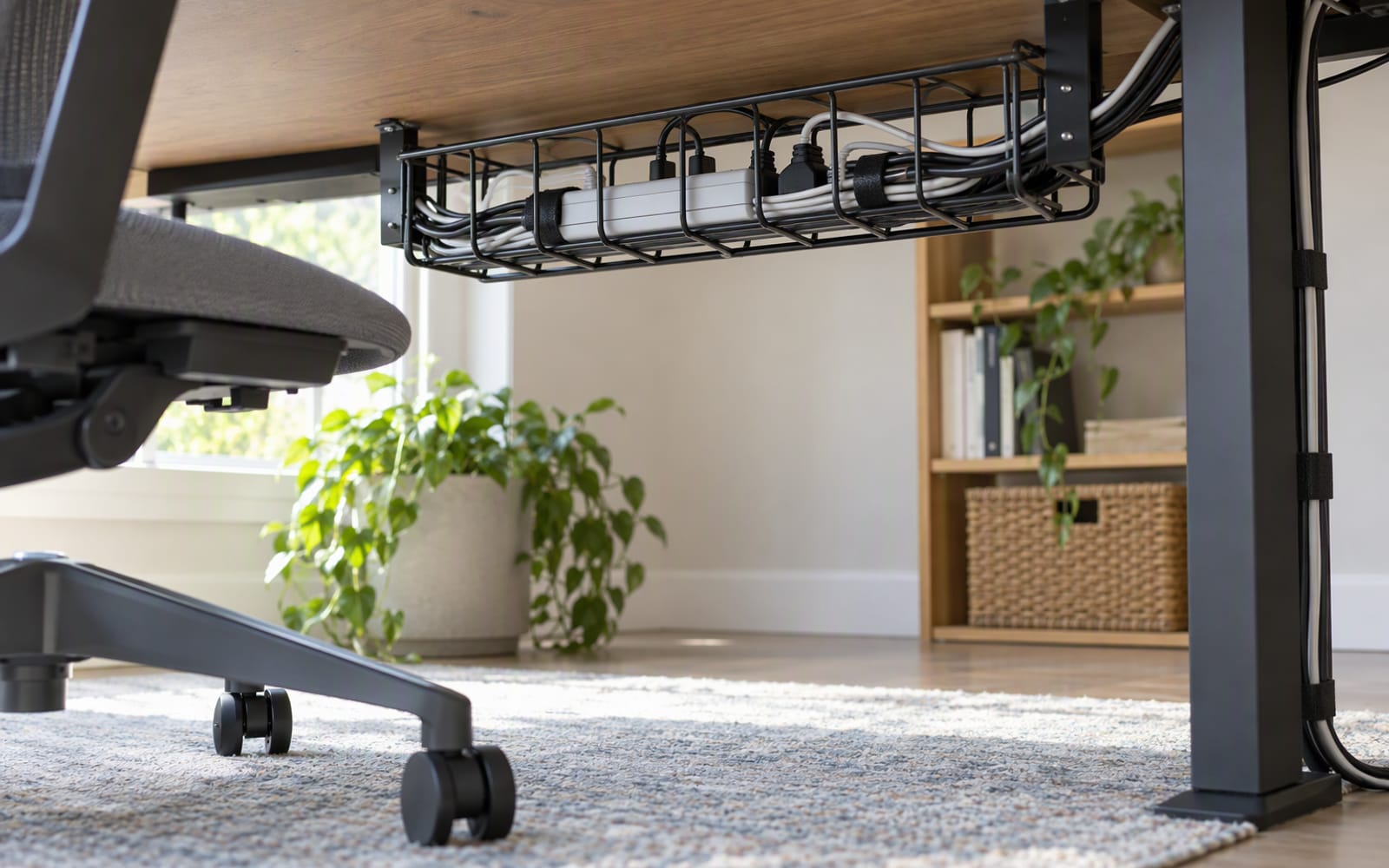
Desk Cable Management: A Practical Setup Guide
Cable management is three jobs in a fixed order: reduce, route, hide. A practical guide to doing them in the right sequence, and what not to buy first.

Audio
Best Noise-Cancelling Headphones for Open-Plan Offices
Open-plan offices are the hardest listening environment there is. Here is how to choose noise-cancelling headphones for a shared desk, and which models we would shortlist.