Phones & Mobile · Buying guide
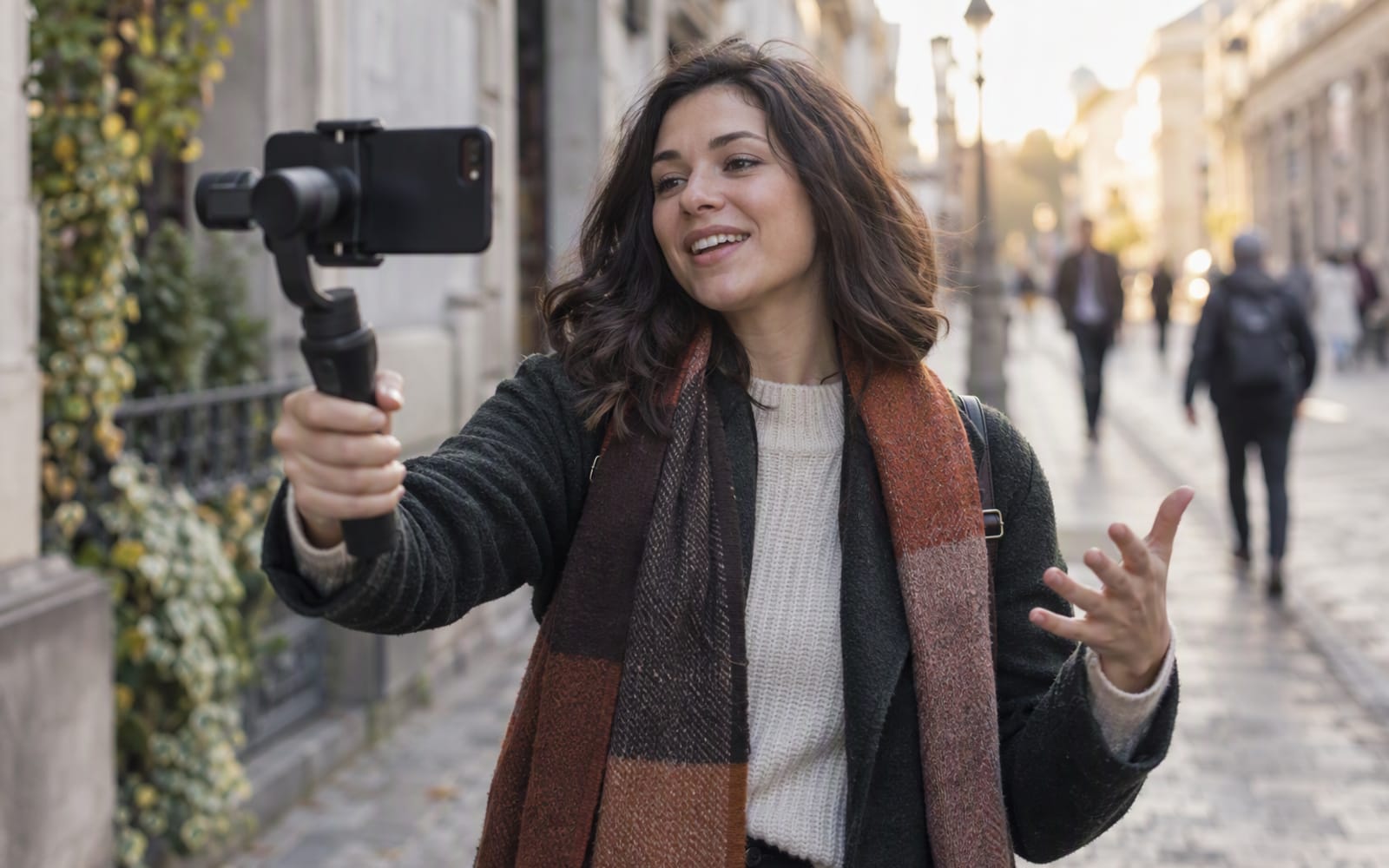
You are three days into a holiday and you have a phone full of footage you will never edit. Not because the places were wrong, but because every clip has the same problem: a slow rolling bounce that follows your footsteps. You were walking and talking, holding the phone at arm’s length, and no amount of in-phone stabilisation removed the way the horizon breathed with each step.
That is the exact problem a phone gimbal is sold to solve, and it is worth being precise about, because a gimbal is not the only fix and it is not always the right one. A fair number of people who buy one would have been better served by a small tripod and a change of habit.
What a gimbal actually fixes
A three-axis gimbal holds the phone level while your hand moves. It cancels the rotation of your wrist and the rise and fall of your steps, which is the motion that makes walking footage unwatchable. It cannot cancel forward and backward movement: the camera still travels through space with you.
The honest framing is that a gimbal turns “unusable” into “deliberate”. It does not turn a walk into a tracking shot. Expecting the second is how people end up disappointed with a device that is working exactly as designed.
Two features matter as much as the stabilisation itself:
- Subject tracking. If you film yourself, or film alone and want to stay in frame, tracking keeps you centred while you move. This is what separates a gimbal from a tripod.
- The clamp. How quickly you can attach the phone decides how often you use the thing at all. A gimbal that takes two minutes to mount gets left in the hotel room.
Rule of thumb. A gimbal you leave behind is worse than a phone in your pocket. Judge every model by the moment you decide whether to film: how small it folds, how fast the clamp goes on, and whether it will balance without opening an app first.
The real cost is setup time
The specification sheet lists axes and battery hours. It does not list the thirty seconds you spend unfolding arms, clipping the phone, checking balance and launching the app before the first frame. On a slow travel day that is nothing. In the middle of a reception, or when a child does something worth filming, it is everything.
This is the most underrated factor in the category, and it is why a heavier, more capable gimbal can be the wrong purchase. The best tool is the one that is already out when the moment arrives.
If your filming is mostly short, spontaneous clips, the setup tax will make a gimbal feel like a chore. If your filming is planned — a talk to camera, a product demonstration, a walk-through you are going to shoot twice — the setup time is absorbed by the plan.
Folding size decides whether it travels
Two gimbals can be near-identical in use and completely different in a bag. The test is not the folded length on a spec table but whether the folded shape slides into a jacket pocket or a small day bag next to a water bottle.
The DJI Osmo Mobile 6 folds into a compact shape and adds a built-in extension rod for selfie framing, which is what makes it the easier first gimbal. It tracks subjects reliably and the magnetic clamp is quick to attach, based on published specifications. What you give up is app dependence — most of its modes need the companion app — and it is not designed for very large phones with thick cases.
Subject tracking and solo shooting
If you film alone, tracking is not a luxury — it is the reason to own a gimbal rather than a tripod. A tripod holds a fixed frame; a gimbal with tracking follows you as you move, which is what a walking talk to camera needs.
The Insta360 Flow 2 Pro is the more useful of the two here, with an integrated tripod and tracking designed for a single person holding the phone. It suits solo filming, interviews and live streaming. The trade-offs are real: it costs more than the DJI equivalent, it is bulkier when folded, and advanced modes still live behind the app.
App lock-in is a real cost
Almost every gimbal wants you to shoot inside its own app. That is where tracking, timelapse and panorama modes live, and it is also where your footage ends up if you are not careful. The practical questions are whether the app can use the phone’s native camera at full quality, whether clips save to the phone’s library automatically, and whether the app still works in two years.
A gimbal whose best features only exist in a companion app is a device you are renting from a software team. That is not automatically bad — it is just worth knowing before you buy.
When a small tripod beats a gimbal
For a large share of what people call vlogging, a tripod is the better tool. If your shots are static — a talk to camera at a desk, a phone propped up for a video call, a timelapse from a windowsill — a gimbal is solving a problem you do not have.
The Peak Design Mobile Tripod folds flat enough to live permanently on the back of a phone and holds it at a usable angle on a table. It is a niche accessory at a premium price, it needs a compatible magnetic case, and it is not tall enough for standing shots. But it costs less than a gimbal, sets up in seconds, and is the honest answer for people whose footage is mostly stationary.
Editorial note. If you cannot describe the specific moving shot you want to film, the gimbal is not the purchase. Buy the tripod, film for a month, and see whether you actually miss the movement.
Our picks compared
| DJI Osmo Mobile 6 | Insta360 Flow 2 Pro | Peak Design Mobile Tripod | |
|---|---|---|---|
| Type | Folding three-axis gimbal | Three-axis gimbal with tripod | Folding magnetic tripod |
| Best for | First gimbal, travel video | Solo filming, interviews | Static shots, video calls |
| Tracking | Active subject tracking | Tracking built for solo shooting | None |
| Folds into | A day bag | A larger bag | A pocket, attached to the phone |
| Main trade-off | Most features need the app | Pricier and bulkier folded | Not tall enough for standing shots |
What not to overpay for
- More axes or a heavier payload than your phone needs. A gimbal rated for a much larger device is dead weight if you shoot on a normal handset.
- Cinematic mode marketing. Zoom, dolly-zoom and similar effects are fun once. They are not a reason to pay more.
- A bigger battery. Most gimbals outlast a phone. The bank in your bag is the better answer.
- The newest model. Generations mostly improve the app and the clamp. If the previous one folds the way you want, it is often the better value.
When you should not buy anything
If your footage problem is shaky handheld shots and you already own a recent phone, try two things first: turn on the phone’s own stabilisation, and brace your elbows against your ribs while you walk. That combination fixes a surprising amount of the problem for free.
If your real problem is that your videos are boring, no gimbal will help. Movement is a technique, not a product. Buy the gimbal when you have a shot in mind that needs it, not before.
Our picks
These are the models we would shortlist for the scenarios in this article. Each entry shows the published specification highlights, what the product is genuinely good at, and what you give up.
DJI Osmo Mobile 6
DJI
A folding gimbal that makes handheld phone video look deliberate. The built-in extension rod and the magnetic clamp are the two features that make it worth carrying; the app learning curve is the main cost.
What it does well
- Folds small enough for a day bag
- Magnetic clamp is fast to attach
- Subject tracking works reliably
What to accept
- Needs the companion app for most features
- Adds setup time before every shot
- Not designed for very large phones with thick cases
Best for: Vlogging · Travel video · Family filming
Published specs: Three-axis folding smartphone gimbal; Magnetic phone clamp; Built-in extension rod for selfie framing; Active tracking subject following.
Last checked: 2026-09-22
Insta360 Flow 2 Pro
Insta360
Built around tracking a person who is also holding the phone. If you film yourself talking, walking or demonstrating something, the tracking and the built-in tripod make this the more useful tool of the two.
What it does well
- Tracking holds up when you move around
- Integrated tripod legs
- Useful without deep app diving
What to accept
- Pricier than the DJI equivalent
- Bulkier when folded
- Advanced modes still need the app
Best for: Solo filming · Live streaming · Interviews
Published specs: Three-axis smartphone gimbal with built-in tripod; Subject tracking designed for solo shooting; Built-in selfie light and extension rod; Works with native camera apps on some platforms.
Last checked: 2026-09-22
Peak Design Mobile Tripod
Peak Design
Folds flat enough to live permanently on the back of a phone and holds the phone at a usable angle on a table. It is a niche luxury rather than a necessity, but it solves a problem no other accessory solves as neatly.
What it does well
- Disappears into a pocket when folded
- Stable enough for long exposures
- Doubles as a grip for video
What to accept
- Needs a compatible magnetic case
- Pricey for a small accessory
- Not tall enough for standing shots
Best for: Travel · Video calls · Timelapse
Published specs: Folding magnetic phone tripod; Attaches via a magnetic phone case or adapter; Multiple viewing angles; Very thin folded profile.
Last checked: 2026-09-22
Frequently asked questions
Do I need a gimbal if my phone already has stabilisation?
Often not, and it is worth testing before you buy. In-phone stabilisation handles small shakes and slow walking reasonably well, and it costs nothing. A gimbal adds the most when you are moving continuously while talking, or holding the phone at arm's length where the leverage makes handheld shake worse. Try filming a two-minute walk with the phone's own stabilisation first, then judge whether the remaining bounce is worth a device.
Will a gimbal work with a large phone and a thick case?
Usually, but check the clamp specification first. Many gimbals balance comfortably with a standard phone but struggle when a large handset is wrapped in a thick case, because the extra weight and offset exceed what the motors are tuned for. If you use a bulky case, either remove it before mounting or check the published payload before buying.
What is the difference between a gimbal and a tripod for vlogging?
A tripod holds a fixed frame; a gimbal holds a moving one. If your shots are mostly static — a talk to camera, a phone propped up for a call, a timelapse — a tripod is smaller, cheaper and faster to set up. A gimbal earns its place when you film while walking or you want the camera to follow you as you move.
Do I have to use the gimbal's companion app?
For most models, yes, if you want tracking, timelapse and panorama modes. The stabilisation itself works with the phone's native camera on some models, but the features people buy a gimbal for usually live inside the app. Before buying, check whether the app can shoot at full quality and whether clips save to your phone's library automatically.
Related
Mobile
Phone Camera Lenses: When an Add-On Lens Actually Helps
Most clip-on phone lenses make your photos worse. Here are the two cases where an add-on lens genuinely adds a capability your phone cannot reach on its own.
Mobile
Best Power Banks for Long-Haul Flights
Airline rules decide which power bank you can carry. Here is how to choose one for a long-haul flight, from laptop charging to the weight in your bag.
Mobile
MagSafe Accessories That Are Actually Worth It
Magnetic accessories are not all gimmicks. Here is which MagSafe batteries, stands and grips solve a real problem, and which ones you can skip.